Making things
How to Choose Workflow Automation Software: A Complete Buyer's Guide
You need to pick workflow automation software, and every demo looks the same. The differences show up later: in pricing tiers, field team tracking, and whether your staff actually opens the app.
This guide breaks down how to evaluate automation tools, from key features like voice notes and GPS attendance to real pricing and trust signals. You will also see where Tasks.Bot, a WhatsApp-based task manager in beta, fits into that evaluation, and who should look elsewhere.
What Is Tasks.Bot? Who It's For and What It Does
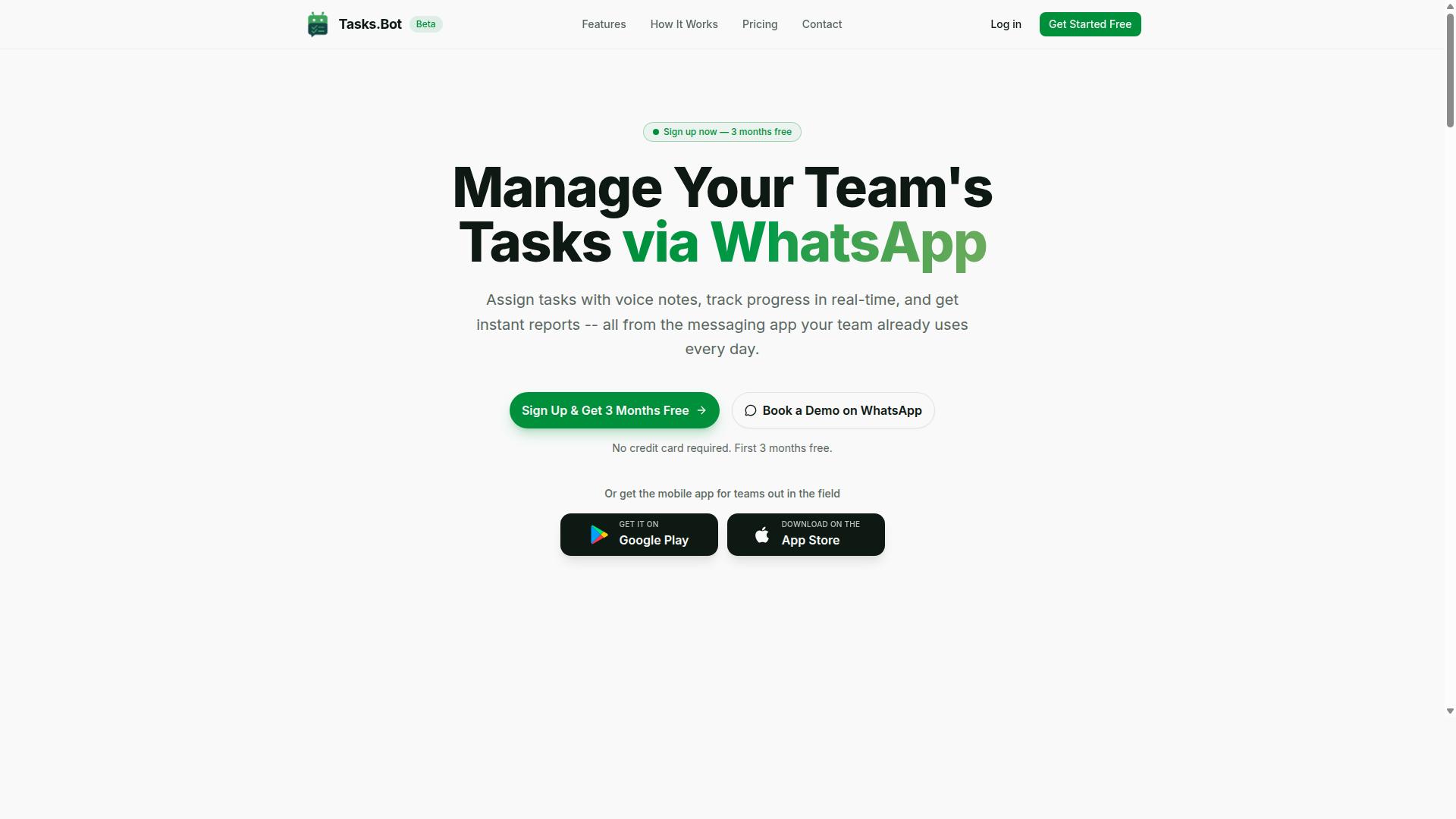
Tasks.Bot is a task management platform that operates entirely within WhatsApp, enabling teams to assign tasks, track progress, and receive reports without leaving the messaging app. For teams already using WhatsApp as their primary communication channel, it removes the friction of adopting a separate tool.
The core idea is simple: instead of asking staff to log into yet another dashboard, Tasks.Bot brings task assignment, progress tracking, and reporting into the chat app they already check dozens of times a day.
Beyond the WhatsApp experience, Tasks.Bot also offers a mobile app for field teams. That matters for organizations whose staff are rarely at a desk, such as crews, drivers, and on-site service providers.
Tasks.Bot is currently in beta and offers a free trial period, so teams can evaluate it before committing. It is already used by hundreds of teams.
Who is it for? Primarily teams that rely on WhatsApp for day-to-day coordination, especially those with field staff. The platform supports task management, attendance tracking, and payroll-ready hours, three needs that often sit in separate systems for deskless workers.
Attendance tracking and payroll-ready hours are especially relevant for businesses that pay by time worked rather than by output. When those records live in the same place tasks are assigned, there is less back-and-forth between supervisors, admin staff, and payroll.
In the context of choosing workflow automation software, Tasks.Bot represents the messaging-native category. Rather than a full business process automation suite, it focuses on task automation and reporting inside a channel teams already use.
That makes it a strong fit for small and mid-sized operations that want task automation without a lengthy rollout. It is less suited to organizations needing deep ERP integration or on-premise deployment, which are better served by heavier platforms.
For a buyer comparing options, the practical question is whether your team lives in WhatsApp. If the answer is yes, Tasks.Bot is a credible, low-friction way to bring structure to task assignment, attendance, and reporting.
Does Tasks.Bot Answer the Question of How to Choose Workflow Automation Software?
When evaluating workflow automation software, buyers typically consider factors like ease of use, integration capabilities, and cost, but Tasks.Bot introduces a different paradigm by leveraging WhatsApp as the primary interface. Most buyer's guides assume you need a dedicated platform with dashboards, admin panels, and a long onboarding cycle. Tasks.Bot challenges that assumption by meeting teams where they already communicate.
Traditional evaluation criteria still matter. Scalability determines whether a tool grows with your headcount. Integration capabilities decide how well it connects to CRM, ERP, or legacy systems through API connectivity and webhooks. Pricing models, deployment options such as cloud-based or on-premise, and the learning curve for no-code automation all shape the final decision.
Tasks.Bot does not try to check every box on a conventional RFP. It is not a full business process automation (BPA) or robotic process automation (RPA) suite, and it does not claim to be. Instead, it focuses on a narrower problem: getting tasks assigned, tracked, and completed by teams that live inside WhatsApp.
That focus matters because adoption, not features, is where most automation projects stall. A platform with deep workflow orchestration and a business rules engine is useless if field staff never log in. Tasks.Bot sidesteps that risk entirely by removing the login step. The sections below explain how WhatsApp-native automation reshapes the buyer's checklist and where Tasks.Bot fits in a broader evaluation.
Why WhatsApp-Native Automation Changes the Buyer's Checklist
WhatsApp-native automation eliminates the need for team members to install new software or create accounts, which can significantly reduce adoption friction and training costs. There is no app to download, no password to reset, and no new interface to learn. For many teams, that alone removes the biggest barrier to rollout.
This changes how buyers should weigh several standard criteria:
- Onboarding time: Instead of scheduling training sessions, managers can start assigning work immediately.
- User adoption: Employees already know how to send messages, so the learning curve is minimal.
- Training costs: Less time spent teaching a new tool means less lost productivity.
- Field team readiness: Staff working on-site or in transit can respond without opening a laptop.
Consider how this plays out in daily work. A supervisor can create a task by sending a voice note, and the AI interprets natural language to turn that message into an assigned task. Team members receive automatic reminders as deadlines approach. Approvals happen inside the same chat thread, so a manager can review and respond without switching apps.
Contrast this with typical SaaS automation tools. Most require a separate login, a distinct mobile app, and a period of adjustment before users feel comfortable. Each of those steps adds friction and slows the path to real usage. WhatsApp-native automation removes them, which is why it deserves a place on the buyer's checklist even if it looks different from the usual entries.
Where Tasks.Bot Fits in a Workflow Automation Evaluation
Tasks.Bot is best suited for teams that already rely on WhatsApp for communication and need lightweight task automation, rather than complex, multi-system workflow orchestration. It is not positioned as a replacement for full-scale BPA or RPA platforms. Buyers comparing enterprise-grade process mining or document workflow engines should treat it as a complementary tool, not a substitute.
Within its scope, Tasks.Bot covers a focused set of capabilities:
- Voice note task creation powered by AI that understands natural language
- Automatic task assignment
- Smart deadline reminders
- Approvals and automations
- Instant reports
- Tasks on a map, live day tracker, and face-verified attendance
- Shifts, leave, and hours management
It also offers Android and iOS apps with push notifications, voice capture, and a home screen widget, plus enterprise-grade encryption. Conversations and task data are never shared or used for training. A 3-month free trial with no credit card required lets buyers evaluate fit before committing.
Buyers should also note the limits. Tasks.Bot may not support advanced integrations like ERP or CRM out of the box, so organizations that need deep data synchronization across many systems should look at platforms built for that purpose. If your primary need is field team coordination and task management through WhatsApp, Tasks.Bot is a strong fit. If you need end-to-end intelligent automation across departments, it works best alongside a broader suite.
Key Features That Matter When Choosing Automation Software
When selecting automation software, features like ease of task creation, approval mechanisms, and field team support can make or break daily operations. A platform that looks impressive in a demo often stumbles when real employees have to use it under deadline pressure.
Buyers should start by mapping how work actually flows through their organization. Business process automation only delivers value when the tool fits existing habits instead of forcing teams into a rigid new system.
Several capability areas deserve close attention during evaluation:
- Task creation speed. Can a manager assign work in seconds, or does every task require a full form?
- Approval workflows. Are sign-offs built in, or bolted on through a separate tool?
- Field team support. Does the software work for deskless staff who are rarely at a computer?
- System integration. Does it connect with the messaging and business apps your team already uses?
- Reporting. Can you see status and hours without exporting data by hand?
Tasks.Bot approaches these requirements through native WhatsApp integration. Teams that already coordinate over WhatsApp can manage tasks, approvals, attendance, and reports without adopting an entirely separate platform, which lowers training time and resistance. The sections below examine the two feature groups buyers ask about most: AI-assisted task creation and field team tracking.
Voice Notes, AI Task Creation, and Approvals
Tasks.Bot uses AI to interpret natural language and voice notes, allowing users to create tasks simply by speaking, which can drastically reduce the time spent on manual data entry.
This matters because manual entry is where many task automation rollouts quietly fail. When assigning work takes longer than doing it, employees drift back to informal messages and sticky notes. Voice capture removes that friction for anyone working from a phone.
Approvals follow the same logic. Tasks can require approvals, and approvers can respond directly in WhatsApp rather than logging into a separate dashboard. That keeps approval workflows inside the conversation where the request originated, which shortens response times and reduces the chance a request sits unseen.
Tasks.Bot also supports automations for recurring tasks and smart deadline reminders. Recurring work such as inspections or maintenance schedules can be set up once instead of recreated each cycle. Deadline reminders help keep commitments visible before they slip.
The broader capability set around this includes automatic task assignment, instant reports, tasks on a map, and a live day tracker. For buyers comparing workflow automation software, the practical test is simple: how many steps stand between a request and an assigned, tracked, deadline-bound task? Tasks.Bot compresses that path into a single voice message.
Attendance, GPS Tracking, and Field Team Tools
For teams with field staff, Tasks.Bot offers attendance tracking with GPS verification, ensuring that check-ins occur at designated locations.
That location data does not sit in isolation. It integrates with task management and produces payroll-ready hours, so the same system that assigns work also captures the time spent on it. Face-verified attendance adds a further check that the person checking in is the person scheduled.
These features address problems that plague field operations:
- Buddy punching. Location and face verification make it far harder for one worker to clock in for another.
- Limited visibility. Managers can see who is on site and when, without relying on phone calls.
- Payroll overhead. Hours are captured as work happens rather than reconstructed from memory at week's end.
Tasks.Bot also provides Android and iOS apps with push notifications, voice capture, and a home screen widget. The mobile app gives field teams an alternative to WhatsApp when a richer interface is useful, while keeping the same underlying records.
Picture a construction company tracking workers' arrival at sites. Each worker checks in through WhatsApp or the app, the system records the time and location, and hours accumulate automatically for payroll. Shifts, leave, and hours management sit alongside this data, giving supervisors one place to review attendance and staffing.
For buyers weighing cloud-based automation against heavier enterprise suites, this is the trade-off to consider. Field teams rarely adopt tools that demand desktop logins. Tasks.Bot meets them in WhatsApp, where hundreds of teams already coordinate their work, and turns everyday messages into structured, trackable records.
Pricing and Plans: What You Actually Pay
Tasks.Bot offers a single 'Full Access' plan that includes all features, with pricing available in Indian Rupees and US Dollars. There are no separate starter, pro, or enterprise tiers to compare, which removes one of the most frustrating parts of buying workflow automation software.
Most tools in this category push buyers into a matrix of plans, then lock important capabilities behind higher tiers. Tasks.Bot takes the opposite approach. Every feature is part of the same plan, so the only real decision is billing frequency.
| Billing Option | Price | Effective Monthly Cost |
|---|---|---|
| Monthly | ₹200 per member per month | ₹200 |
| Annual | ₹1,200 per year per member | ₹100 |
The annual plan saves 50%, or ₹1,200 per year per member. For a team of five, that difference adds up quickly. Monthly billing would cost ₹12,000 across a year, while annual billing comes to ₹6,000 for the same five members.
New users also get 3 months free, with no credit card required and the ability to cancel anytime. That trial period matters when you are evaluating workflow orchestration, approval workflows, or invoice processing before committing budget.
Pricing is also available in USD. The site shows a 'Select currency' option for Indian Rupee and US Dollar, so check the website for current USD rates before you finalize a budget. Currency conversion and regional pricing can shift, so verify at the point of purchase.
Compared with typical per-user pricing at other automation platforms, which often rises sharply as you add seats or unlock advanced nodes, Tasks.Bot keeps one flat rate per member. That predictability helps when you are scaling concurrent workflows or expanding business process automation across departments.
One caveat: the service is in beta. Beta pricing can change as a product matures, so treat current rates as favorable but not guaranteed forever. Locking in an annual plan may protect you from near-term increases.
For buyers weighing no-code automation against low-code platforms and RPA suites, the math here is simple. Fewer tiers, one per-member rate, and a free trial period make the cost side of the buyer's guide easy to evaluate.
Trust Signals: Beta Status, Encryption, and Refund Policy
As Tasks.Bot is currently in beta, potential buyers should weigh the benefits of early adoption against the risks of using a product still under development.
Beta status is a double-edged signal in any buyer's guide for workflow automation software. On one hand, it tells you the product is not yet finished. Features may change, bugs may surface, and the interface you learn today could look different in a few months.
On the other hand, beta signals active development. A vendor that keeps shipping updates is a vendor that is still investing in the product. For early adopters who mainly need core task automation and can tolerate occasional rough edges, that trade-off is often worth it.
Before committing, ask yourself a few practical questions:
- Do the features available today cover your most important workflows?
- Can your team work around minor bugs without halting operations?
- Are you comfortable with the possibility that some functionality may shift after launch?
If the answer to all three is yes, beta access can be a reasonable choice. If your business depends on mission-critical approval workflows or invoice processing running without interruption, waiting for a stable release may be the safer path.
Security is the second trust signal to examine. Tasks.Bot states that it uses enterprise-grade encryption, and that conversations and task data are never shared or used for training. Buyers should confirm the specifics directly. In a typical cloud-based automation platform, that means encrypted connections between your browser and the service, plus encrypted storage of the data your workflows handle.
Because workflow automation software often touches sensitive information such as customer records, financial documents, or employee data, encryption is not a nice-to-have. It is a baseline requirement. Ask the vendor how data is protected in transit and at rest, and whether your information is ever used outside your own account.
The site also mentions a refund policy in the footer. Read it carefully before purchasing. Check the refund window, the conditions attached, and whether any fees are excluded. A clear, accessible refund policy is itself a trust signal, because it shows the vendor is willing to stand behind the product.
One more small but useful indicator: the copyright year is 2026, which suggests the site is actively maintained rather than abandoned. An out-of-date copyright is a common red flag, so seeing a current year is reassuring.
Finally, the website includes a Book a Demo on WhatsApp option. That gives prospective buyers a direct way to ask about beta timelines, security practices, and refund terms before spending anything. Use it. A vendor that answers specific questions clearly is usually a vendor worth trusting.
Weighing it all together, Tasks.Bot presents the profile of a legitimate, actively developed tool. The beta label is honest rather than hidden, the refund policy is stated, and the site is current. For teams that value early access to task automation and can absorb minor changes, the trust signals here point in a favorable direction.
Who Should Use Tasks.Bot - and Who Should Look Elsewhere
Tasks.Bot is ideal for small to medium-sized teams that already use WhatsApp as their primary communication tool and need simple task management with field staff support. Instead of asking people to adopt yet another app, it works inside the channel they already check every day. That single design choice shapes exactly who gets the most value from it, and who is better served by a different class of platform.
The service is built for teams that use WhatsApp for communication, particularly those with field staff who need task management, attendance tracking, and payroll-ready hours. Hundreds of teams already use the service, which suggests the model fits a real, common gap rather than a niche edge case.
If your daily work happens on phones, in vehicles, or on job sites, this category of tool tends to fit better than a desktop-first system. The sections below break down the strongest fits, the situations where another approach makes more sense, and a short checklist you can run before deciding.
Strong fit: field teams that live in WhatsApp. Construction crews, maintenance technicians, delivery drivers, and similar mobile-first workers rarely sit at a desk. Their updates, photos, and confirmations already flow through chat. Tasks.Bot meets them there rather than forcing a new habit.
Strong fit: teams that need attendance and hours, not just to-dos. Attendance tracking and payroll-ready hours matter to anyone paying hourly or shift-based staff. When those records come out of the same place tasks are assigned, payroll prep gets simpler and less error-prone.
Strong fit: small and mid-sized operations avoiding new software adoption. A lightweight rollout matters when you have no IT department and no appetite for a months-long implementation. Teams that want task automation without a change-management project are squarely in the target audience.
Strong fit: managers who assign work informally today. If assignments currently happen through scattered messages and verbal instructions, moving them into a structured flow is a clear upgrade. The gain comes from consistency, not from complexity.
Tasks.Bot is not trying to be everything to everyone, and that focus is a strength for the teams it serves. The question is simply whether your needs line up with what it does well.
Look elsewhere if you need deep ERP or CRM integration. Organizations that require tight system integration with enterprise resource planning or customer relationship management platforms typically need API connectivity, webhooks, and ongoing data synchronization. That is a different category of project with a different evaluation checklist.
Look elsewhere if you need advanced workflow orchestration. Complex, multi-branch business process automation with a full business rules engine and decision automation is beyond the scope of a lightweight task tool. Teams mapping dozens of interdependent approval workflows should shortlist dedicated low-code platforms or intelligent automation suites instead.
Look elsewhere if you require on-premise or hybrid deployment. Tasks.Bot is a SaaS product. Regulated organizations that mandate on-premise deployment, or a hybrid deployment model, will need a vendor that offers those options.
Look elsewhere if you need extensive customization. Teams expecting to rebuild the interface, script custom logic, or tailor every screen may find the product too constrained. The same applies to buyers whose procurement requires strict compliance certifications that are not part of the offering.
Look elsewhere if you need robotic process automation at scale. RPA and large-scale document workflow engines solve a different problem than assigning tasks to people. If your goal is automating high-volume structured data handling, a task manager is the wrong starting point.
None of these are flaws. They are boundaries, and knowing them upfront saves you a costly mis-hire.
Use the questions below as a quick filter. If you answer yes to most items in the first list and no to most in the second, Tasks.Bot is likely a strong match.
- Does your team already use WhatsApp as its main communication channel?
- Do you have field staff, mobile workers, or shift-based crews?
- Do you need task assignment, attendance tracking, and payroll-ready hours in one place?
- Are you small to medium-sized, without a dedicated IT team for long rollouts?
- Do you want lightweight task automation without adopting new software?
- Is a cloud-based SaaS tool acceptable to your organization?
Now the reverse. If any of the following describe you, evaluate dedicated platforms before committing.
- You need ERP integration or CRM integration with live data synchronization.
- You require advanced workflow orchestration, a business rules engine, or decision automation.
- You must deploy on-premise or run a hybrid deployment.
- You need extensive customization or strict compliance certifications.
- Your priority is robotic process automation or high-volume document workflow.
Two more practical checks are worth running. First, confirm that the people doing the work are comfortable in WhatsApp, since adoption drives everything else. Second, list the three tasks you most want automated and ask whether each is a simple assignment or a multi-step process. Simple assignments point toward Tasks.Bot; multi-step processes point toward a heavier platform.
Run that filter honestly and the decision usually becomes obvious within a few minutes.
The verdict is straightforward. For small and medium-sized teams that communicate on WhatsApp and manage field staff, Tasks.Bot is a well-targeted fit, pairing task management, attendance tracking, and payroll-ready hours in a tool people will actually use. Hundreds of teams already rely on it, which is a meaningful signal for a product in this category.
If your needs center on enterprise integration, advanced orchestration, or on-premise control, choose a platform built for that instead. Matching the tool to the job is what makes workflow automation software pay off, and Tasks.Bot is clear about the job it does best.
Final Verdict: Is Tasks.Bot the Right Workflow Automation Choice?
Tasks.Bot offers a unique WhatsApp-native approach to task management that can be a game-changer for teams seeking simplicity and rapid adoption. Instead of asking employees to learn yet another dashboard, it meets them inside the messaging app they already open dozens of times a day. That single design decision shapes everything about who should consider it and who should look elsewhere.
For a buyer working through this guide, the question is not whether Tasks.Bot is "the best" workflow automation software in absolute terms. It is whether its strengths line up with how your team actually communicates and assigns work.
Where Tasks.Bot stands out:
- WhatsApp integration keeps task assignment, updates, and coordination inside a channel most teams already use daily
- Voice notes let users capture instructions and updates by speaking rather than typing, which suits fast-moving or non-desk environments
- AI capabilities help interpret and organize incoming requests so they become trackable work items
- Field team tools support staff who are mobile, remote, or rarely sitting at a computer
These features matter most for task automation rather than heavy business process automation. If your needs involve multi-step approval workflows, invoice processing, or deep ERP integration, you are operating in a different weight class.
Where the limitations sit: Tasks.Bot is in beta status, which means the product is still evolving and buyers should expect changes over time. Its integration set is also limited, so complex system integration or data synchronization across many platforms may not be on the table today. Teams running legacy systems or needing extensive API connectivity and webhooks should weigh that carefully.
On pricing and fit, the picture is straightforward. Tasks.Bot targets teams that live in WhatsApp and want basic task automation without a long rollout. If that describes your organization, the barrier to trying it is low. If you need workflow orchestration across a dozen systems, robotic process automation, or a full business rules engine, a more established platform will serve you better.
The honest recommendation: start with a trial if your team already coordinates on WhatsApp and your workflows are simple. Test it against your real tasks, not a demo scenario. If adoption feels natural within days, you have your answer.
If your requirements lean toward intelligent automation, document workflow, or employee onboarding at scale, treat Tasks.Bot as one option among several and compare it against platforms built for that depth.
To explore whether it fits your team, book a demo on WhatsApp or contact the team directly for more information.
- Phone: +91 97143 42522
- Email: [email protected]
Reach out with your specific use case, and the team can tell you plainly whether Tasks.Bot is the right fit or whether you need something heavier.
Frequently Asked Questions
Do my team members need to install new software or create accounts to use Tasks.Bot?
No. Tasks.Bot operates entirely within WhatsApp, so your team can assign tasks, track progress, and receive reports without installing anything or creating new accounts. There is also a mobile app available for field teams who need it. This makes onboarding fast for teams that already communicate on WhatsApp.
How does Tasks.Bot handle task creation and assignments?
Tasks.Bot uses AI to understand natural language and voice notes, so you can create tasks simply by typing or speaking. It also supports automatic task assignment, smart deadline reminders, approvals, and automations. This reduces manual setup and keeps work moving inside the chat your team already uses.
What does Tasks.Bot cost, and are there different plan options?
Tasks.Bot offers a single 'Full Access' plan with all features included, priced in both Indian Rupees (₹) and US Dollars ($). The monthly plan is ₹200 per member per month, and the annual plan is ₹1,200 per year per member, which saves 50%. You can compare both options and choose the billing cycle that suits your team.
Can Tasks.Bot support field teams, attendance, and payroll-related tracking?
Yes. Tasks.Bot is built for teams with field staff, offering face-verified attendance, live day tracking, and payroll-ready hours alongside task management. Field teams can also use the mobile app and view tasks on a map. This makes it a fit for businesses that need both task visibility and attendance records in one place.
Is Tasks.Bot available in my country?
Tasks.Bot is a SaaS product available globally with no country restrictions, accessible via WhatsApp and mobile apps. Since it runs on WhatsApp, your team can use it wherever they already message. You can reach the team at [email protected] or +91 97143 42522 with location-specific questions.
How do I see Tasks.Bot in action before committing?
You can book a demo directly on WhatsApp through the Tasks.Bot website, which lets you experience the workflow in the same app your team would use. The service is currently in beta, and the site also mentions a refund policy in the footer. A demo is a practical way to check whether the WhatsApp-based approach fits how your team already works.
Recommended Resources: